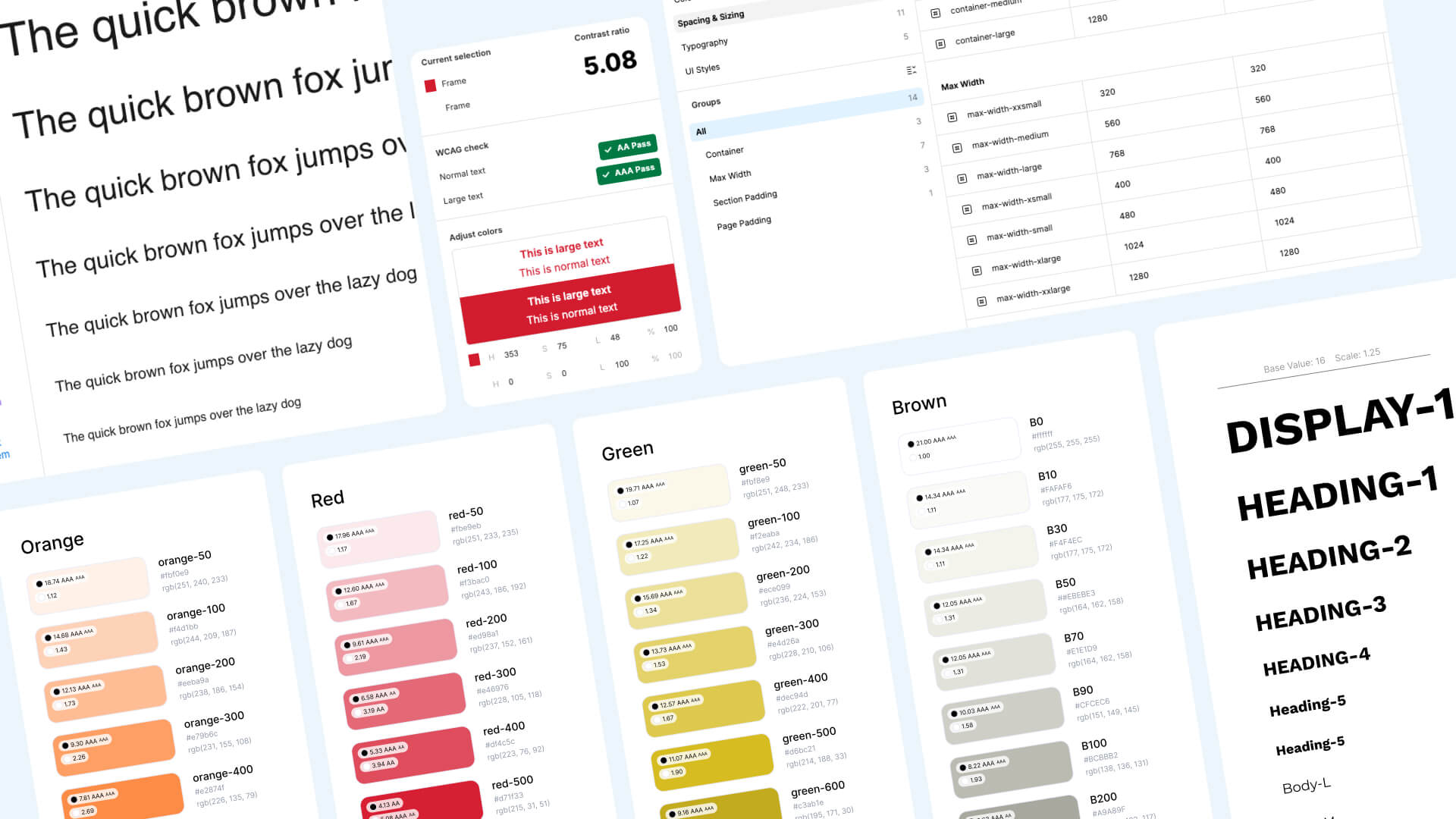
Since I started working in web design, I've made it my mission to learn something new with every project. I'm curious and methodical. I love finding ways to make repetitive tasks easier so I can spend more time on the creative stuff. With each project, I've tested new ways to smooth out the process, trying different tools and plugins. And like most web designers and UI/UX folks, my go-to is Figma. So I wanted to share a list of the tools I use in those early stages, you know, after I've evaluated the brand, done my research, sketched out the wireframes, and I'm ready to bring the brand identity to life through colors and fonts. But I don't just wing it. I like to stay organized and build out a proper little design system from the start.
Here are the tools I swear by:
Typescale
This plugin helps me select a correct and balanced scale for the fonts in each project. It allows you to adjust different ratios of scales depending on the brand's needs and style. It's very useful to determine a personality for the design through types and fonts. Also, you can create different scales for desktop and mobile and import them into Figma to then convert them into styles and variables to stay organized and consistent.
Foundation: Color Generator
This plugin helps you create scalable color palettes with shades and tints from a base color, allowing for organized color systems. The three interesting things about this plugin are: First, you can choose between a selection of very well known libraries depending on what kind of order you want for your colors and how many colors you want for your shades. Second, you have right away a preview of the accessibility of your color scale, so you can change your color until you have the right combination and accessibility that you want. Third, you can import a palette into your Figma canvas with the name of the color, the hex code of each shade, the accessibility value for each color, and you can create the Figma styles if you want. For me, this keeps everything very organized in my workspace.
Kigen: Generate Design System Variables
This is a plugin that I use for more complex projects. Similar to the previous one, you can define your palettes following the most known schemes of different libraries like Tailwind, Atlassian, etc. This allows you to create variables of your colors, but not only that. You can also create the type scale, spacing, radius, and colors. It's a very complete tool to define the whole design system and the documentation of everything.
Styles to Variables Converter
This tool is very useful for converting any style you create into variables. This is how I put every style I've created into a variable to start the primitives that I will later use to create the semantic tokens that I like to use for deciding which color I will use for each element.
Color Contrast
The last (for this blog post) but not least is my most used plugin. I use this one all the time. I like to check if everything is accessible in my designs, and the main thing I check the most is when I use different shades of gray for inactive states of text. I want to be 100% sure that everything is working.
These tools have seriously changed how I approach new projects. They help me stay consistent, save time, and most importantly, make sure my designs are accessible from day one. If you're working in Figma and haven't tried these yet, give them a shot. They might just become part of your daily routine too.
Thanks for reading this whole thing! Catch you in the next one.